Yes. The studios that supply the brand — Evolution Gaming, Playtech Live, Spribe, Smartsoft Gaming, Jili Games, PGSoft and others — build in HTML5, so their games run in any current mobile browser on Android or iOS with no download required. You sign in, deposit, play and request withdrawals from the same responsive lobby you would see on a desktop, with the navigation collapsed into a menu.
Where a native Android application is offered, it is distributed from the operator's own site rather than a public app store, because store policies restrict real-money gambling apps in many regions. On iPhone and iPad, adding the lobby to your home screen gives you effectively the same shortcut without any installation at all.
This is the comparison that matters before you decide whether to install anything. The column that surprises most players is the third one: the great majority of rows are identical.
| Feature | Mobile browser | Installed app |
|---|---|---|
| Game library | Full lobby | Identical (same servers, same titles) |
| Account and balance | Same account | Identical (one account across both) |
| Deposits and withdrawals | Full cashier | Identical cashier |
| Bonuses and free spins | Same offers and same wagering requirement | Identical |
| Live-dealer streaming | Works, quality adapts to connection | Works, sometimes marginally smoother |
| Installation | None needed | APK download or home-screen install |
| Storage used | Cache only | Typically tens of megabytes |
| Cold start speed | Slower (assets load each session) | Faster (shell is already local) |
| Push notifications | Limited | Supported |
| Updates | Automatic | Manual reinstall for major versions |
| iOS availability | Always | Usually a home-screen shortcut, not a store app |
| Biometric unlock | Depends on browser password manager | Commonly built in |
Read down the "identical" rows and the conclusion is straightforward: an app changes how you reach the lobby, not what is inside it. If your phone is short on storage, or you would rather not install a file from outside an app store, the browser costs you almost nothing.
| Device | How it runs | Practical notes |
|---|---|---|
| Android phone | Chrome, Firefox, Samsung Internet, or an operator-supplied APK | Installing an APK requires allowing installs from that source; only do it for a file downloaded from the operator's own domain |
| iPhone | Safari or Chrome; home-screen shortcut for app-like behaviour | Real-money gambling apps are restricted in many App Store regions, so a web shortcut is the normal route |
| Android tablet | Same as Android phone, lobby uses the wider layout | Live-dealer tables benefit most from the larger screen |
| iPad | Safari, desktop-class layout | Closest mobile experience to playing on a laptop |
| Older devices | Any browser with current HTML5 support | Very old handsets may struggle with live streams before they struggle with slots |
Connection matters more than hardware for live tables. A stable connection at modest speed beats a fast but fluctuating one, because a dropped stream mid-hand is handled by the table's own timer, not by your preference.
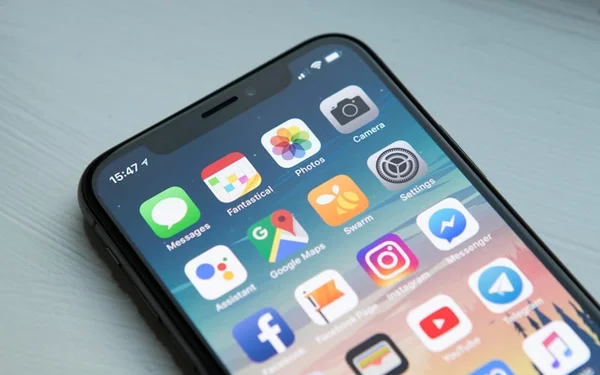
On iPhone, open the lobby in Safari, tap the share control, then choose "Add to Home Screen". On Android in Chrome, open the lobby, tap the three-dot menu and choose "Add to Home screen" or "Install app" where offered. Either way you get an icon that launches the site full-screen, keeps your session, and needs no download. If you would rather have the native Android application, take the link from the operator's own site or the brand's own FAQ, which covers app download among its published topics. Never install a casino APK from a file-sharing site: repackaged installers are a well-documented route for credential theft.
One practical warning about notifications. Push messages from a gambling app are marketing, and they are designed to bring you back at the moment you are least likely to have planned a session. If you install the app, consider muting its notifications in system settings and opening it only when you decide to.
The honest comparison is not about features any more; both routes run the same HTML5 games from the same studios. It is about storage, updates and how much of your phone you are prepared to hand over.
| What you are trading | Mobile browser | Downloadable app |
|---|---|---|
| Storage used | 0 MB beyond the cache | Commonly 40 MB to 100 MB |
| Updates | Instant, server side | Manual, and easy to forget |
| Data per hour of slots | Roughly 40 MB to 70 MB | Similar after the first install |
| Bonus access | Every promotion, including any no deposit bonus | Occasionally app-only extras |
For example, a player on a 64 GB phone with 2 GB free will feel an installed app immediately, and will feel it again every time the operator ships an update over mobile data. The browser route costs nothing to keep.
Our advice is unglamorous. Start in the browser, pin it to the home screen, and only install anything if you find a feature you genuinely miss.
The brand's own FAQ lists app download among the topics it covers, which indicates a download route exists, but we do not publish a version number, a file size or a store link we have not verified. Take any download from the operator's own site, and treat third-party mirrors of an installer as unsafe.
Yes. Offers, free spins and the wagering requirement attached to them are account-level, not device-level. Playing on a phone does not change playthrough, game weighting or expiry (see our see our bonus overview).
No. Slot outcomes come from a certified random number generator on the provider's servers, and RTP (return to player) is a property of the title, not the device. The client is only a display layer.
A live table is a video stream, so it is the heaviest thing in the lobby; expect consumption comparable with standard-definition video. Slots and crash games use a small fraction of that once loaded.
Usually yes, and it is the easiest way to do it: the camera captures a full document cleanly, which avoids the cropped-edge rejection that catches out desktop uploads.
Clear the site cache, close other tabs, and switch between mobile data and Wi-Fi to identify which connection is failing. If one specific title fails while others work, it is a provider-side issue rather than your device.
The mobile lobby is the same platform as the desktop one. Check the current offer, game list and cashier options from your phone.
Visit Jeetkhel →